

Do laptops have graphics cards? Yes, almost all modern laptops have a graphics processor (GPU) that handles images, videos, animations, and everything you see on the screen. However, not every laptop has a separate, dedicated graphics card like a gaming laptop or desktop computer.
Some laptops use integrated graphics built into the processor, while others come with a dedicated GPU for gaming, video editing, graphic design, and other demanding tasks.
In this guide, we’ll explain whether laptops have graphics cards, the difference between integrated and dedicated graphics, how to check your laptop’s GPU, and whether you can upgrade it.
- Do All Laptops Have a GPU?
- Types of Graphics Cards in Laptops
- Integrated Graphics vs Dedicated Graphics
- Do All Laptops Have Dedicated Graphics Cards?
- Do Gaming Laptops Have Graphics Cards?
- Is There Any Laptop Without a GPU?
- How Do I Know If My Laptop Has a Graphics Card?
- Can You Upgrade a Laptop Graphics Card?
- How Much Graphics Memory Does a Laptop Need?
- Do Laptops Need a Graphics Card for Gaming?
- Do MacBooks Have Graphics Cards?
- Do Laptops Have Graphics Cards for Video Editing?
- Frequently Asked Questions
- 1. Do laptops have graphics cards like desktops?
- 2. Can a laptop work without a dedicated graphics card?
- 3. Is Intel UHD Graphics a graphics card?
- 4. Is NVIDIA GeForce RTX a graphics card?
- 5. How do I know if my laptop has NVIDIA graphics?
- 6. Can I add a graphics card to my laptop?
- 7. Is a laptop with integrated graphics good?
- 8. Do all laptops with dedicated GPUs have an integrated GPU?
- 9. Do I need a dedicated GPU in a laptop if I don't game?
- 10. What laptop should I stay away from?
- Final Thoughts
Do All Laptops Have a GPU?
Yes, almost all modern laptops have a GPU, or graphics processing unit. However, there is a difference between having a graphics processor and having a separate graphics card.
A laptop’s graphics can be integrated into the CPU or provided by a dedicated graphics processor. Integrated graphics share system memory, while dedicated graphics typically have their own VRAM.
This means a laptop can have graphics capabilities without having a separate NVIDIA or AMD graphics card.
For example, a laptop with Intel UHD Graphics can display videos, run office applications, and handle everyday tasks. A laptop with an NVIDIA GeForce RTX GPU can provide more graphics performance for gaming and demanding creative workloads.
Types of Graphics Cards in Laptops
There are two main types of graphics processors found in laptops: integrated graphics and dedicated graphics.
1. Integrated Graphics
Integrated graphics are built into the laptop’s processor. They do not usually have separate dedicated VRAM and instead use a portion of the laptop’s system RAM.
Common examples include:
- Intel UHD Graphics
- Intel Iris Xe Graphics
- AMD Radeon integrated graphics
- AMD Radeon 780M
- Apple integrated GPUs in Apple Silicon chips
Integrated graphics are suitable for everyday tasks such as:
- Browsing the internet
- Watching YouTube videos and movies
- Using Microsoft Word and Excel
- Attending online classes and video calls
- Basic photo editing
- Programming and web development
- Light gaming
Advantages of Integrated Graphics
- Lower power consumption in many workloads
- Often better battery efficiency
- More affordable laptops
- Less heat generation in typical use
- Supports lightweight laptop designs
The main disadvantage is that integrated graphics generally offer less performance than dedicated GPUs for demanding games, 3D rendering, and professional graphics applications.
2. Dedicated Graphics Cards
Dedicated graphics cards, also called discrete GPUs, are separate graphics processors designed for higher performance.
Popular laptop dedicated graphics cards include:
- NVIDIA GeForce RTX 4050 Laptop GPU
- NVIDIA GeForce RTX 4060 Laptop GPU
- NVIDIA GeForce RTX 4070 Laptop GPU
- NVIDIA GeForce RTX 4080 Laptop GPU
- AMD Radeon RX 7600S
Dedicated graphics are useful for:
- Gaming
- Video editing
- 3D modeling and rendering
- Graphic design
- CAD software
- AI and machine learning workloads
- High-resolution and multi-monitor workflows
A dedicated GPU usually has its own VRAM, which helps it handle graphics-intensive tasks.
Important: A dedicated graphics card can improve performance, but it typically increases laptop cost, power consumption, and heat compared with integrated graphics.
Integrated Graphics vs Dedicated Graphics
| Feature | Integrated Graphics | Dedicated Graphics |
|---|---|---|
| Location | Built into the processor | Separate GPU chip |
| Memory | Shares system RAM | Usually has dedicated VRAM |
| Performance | Good for everyday tasks | Better for demanding graphics |
| Gaming | Casual and light gaming | Better for demanding games |
| Battery life | Usually more efficient | Often uses more power |
| Price | Usually cheaper | Usually more expensive |
| Video editing | Basic to moderate | Better for demanding projects |
| 3D rendering | Limited | Faster in many workloads |
Which Graphics Card Is Better?
It depends on what you use your laptop for.
If you only need a laptop for browsing, office work, watching videos, and programming, integrated graphics may be enough.
If you want to play modern games, edit 4K videos, use Blender, or work with advanced 3D software, a dedicated graphics card is usually the better choice.
Do All Laptops Have Dedicated Graphics Cards?
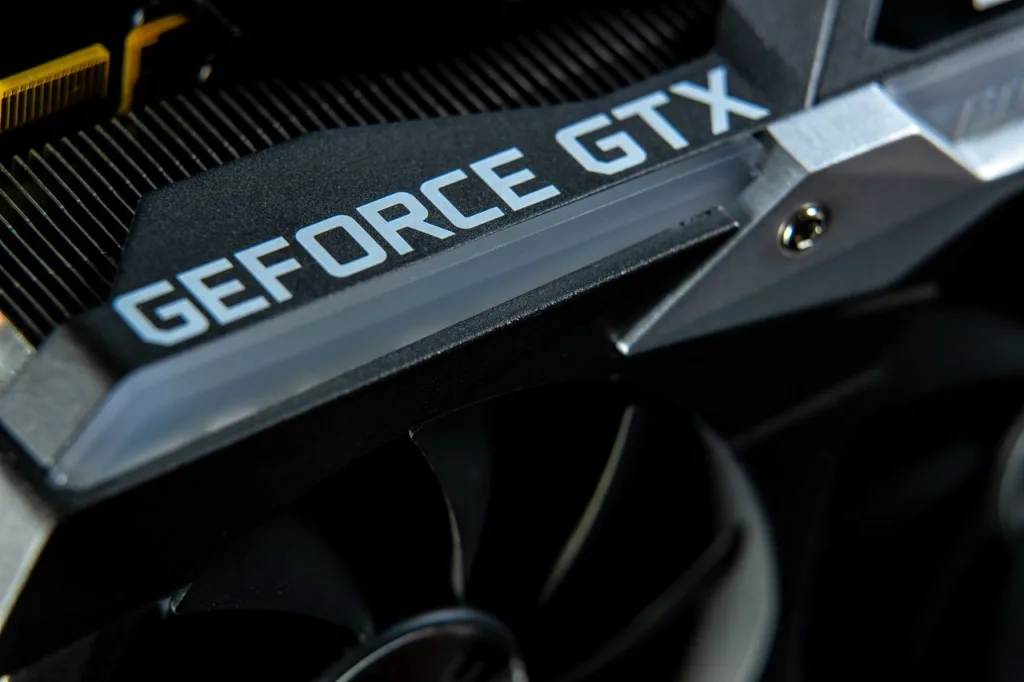
No, not all laptops have dedicated graphics cards.
Many regular laptops use integrated graphics built into the processor. Dedicated graphics are more common in gaming laptops, mobile workstations, and laptops designed for demanding creative applications.
Some laptops have both an integrated GPU and a dedicated GPU. The integrated graphics may handle everyday tasks to help save power, while the dedicated GPU handles more demanding graphics workloads.
For example, a laptop may include:
- Intel integrated graphics
- NVIDIA GeForce RTX dedicated graphics
- Shared system RAM
- Dedicated VRAM
The exact GPU configuration depends on the laptop model.
Do Gaming Laptops Have Graphics Cards?
Yes, gaming laptops typically come with dedicated graphics cards. These GPUs are designed to deliver higher gaming performance, better frame rates, and support for advanced graphics features.
Many gaming laptops include NVIDIA GeForce RTX graphics cards or AMD Radeon dedicated GPUs.
For example, an RTX 4060 gaming laptop can be suitable for modern 1080p gaming, depending on the game, laptop power limits, cooling system, and other specifications.
Gaming laptops also often include:
- High-refresh-rate displays
- More powerful CPUs
- Better cooling systems
- More RAM
- Faster SSD storage
- Dedicated graphics memory
However, not every laptop marketed for gaming has a powerful dedicated GPU. Always check the exact graphics card model before buying.
Do All Gaming Laptops Have a Dedicated GPU?
Not necessarily. Many gaming laptops come with a dedicated graphics card, but the term “gaming laptop” alone does not tell you the exact GPU.
A dedicated GPU is important for demanding gaming because it offers more graphics processing power than typical integrated graphics. However, some entry-level gaming laptops may use less powerful graphics hardware.
Before buying a gaming laptop, check its exact GPU model rather than relying only on the laptop’s name.
For example, compare:
| Laptop graphics | Typical use |
|---|---|
| Intel integrated graphics | Everyday tasks and light gaming |
| NVIDIA GeForce RTX 4050 Laptop GPU | Gaming and creative workloads |
| NVIDIA GeForce RTX 4060 Laptop GPU | More demanding gaming and graphics work |
Is There Any Laptop Without a GPU?

A laptop needs graphics processing hardware to display its screen. Modern laptops generally have a GPU built into the processor or a separate graphics processor.
So, if you are asking whether a laptop can work without a dedicated graphics card, the answer is yes.
A laptop with integrated graphics can run Windows, display videos, browse the internet, and handle everyday applications without a separate dedicated GPU.
The important distinction is:
- Without a dedicated graphics card: Yes, laptops can work this way.
- Without any graphics processor: A normal modern laptop cannot operate as a complete display computer.
How Do I Know If My Laptop Has a Graphics Card?
You can check your laptop’s graphics card in Windows without opening the laptop.
Method 1: Using Task Manager
This is one of the easiest ways to check your GPU.
- Press
Ctrl + Shift + Escon your keyboard. - Open the Performance tab.
- Look for GPU 0 or GPU 1 in the left sidebar.
- Click the GPU to see its name, memory, and usage.
You may see something like:
- GPU 0: Intel Iris Xe Graphics
- GPU 1: NVIDIA GeForce RTX 4060 Laptop GPU
If your laptop has two GPUs, it means the laptop has both integrated and dedicated graphics.
Method 2: Using Device Manager
You can also check your graphics card through Device Manager.
- Right-click the Windows Start button.
- Select Device Manager.
- Expand Display adapters.
- Check the graphics card names listed there.
For example, if you see Intel UHD Graphics, your laptop has integrated graphics. If you see NVIDIA GeForce RTX, it has a dedicated NVIDIA GPU.
Method 3: Using DirectX Diagnostic Tool
You can check your GPU using the DirectX Diagnostic Tool.
- Press
Windows + R. - Type
dxdiag. - Press Enter.
- Open the Display or Render tab.
You will see details about your graphics processor, including the manufacturer and graphics memory.
Can You Upgrade a Laptop Graphics Card?
In most laptops, the graphics card cannot be upgraded like a desktop graphics card.
Unlike desktop computers, where you can often replace the graphics card, laptop GPUs are commonly soldered directly to the motherboard.
This means you generally cannot remove the existing GPU and install a more powerful one.
What Can You Upgrade?
Depending on your laptop model, you may be able to upgrade:
- RAM
- SSD storage
- Sometimes the battery
Upgrading RAM or SSD storage can improve overall laptop performance, but it will not turn integrated graphics into a dedicated GPU.
What About External Graphics Cards?
Some laptops support an external GPU, also known as an eGPU.
An eGPU connects to a laptop through a compatible high-speed connection, such as Thunderbolt or USB4 with appropriate PCIe support.
This can provide desktop-style graphics performance, but it requires compatible hardware and an external enclosure. It is not supported by every laptop.
How Much Graphics Memory Does a Laptop Need?
Graphics memory, also called VRAM, is the memory used by a dedicated graphics card to store textures, images, and other graphics data.
The amount of VRAM you need depends on the software and games you use.
| Laptop graphics use | Typical graphics memory |
|---|---|
| Basic office work | Integrated graphics is often enough |
| Light gaming | 4GB dedicated VRAM can be sufficient |
| 1080p gaming | 6GB–8GB is a useful range |
| 1440p gaming | 8GB or more may be beneficial |
| 4K gaming and heavy 3D | Often requires more VRAM |
These are general guidelines, not strict requirements. A GPU’s overall performance, architecture, power limits, and the game or application also matter.
Note: Integrated graphics use system RAM, so they do not necessarily have dedicated VRAM.
Do Laptops Need a Graphics Card for Gaming?
Yes, laptops need a graphics processor to display games. But they do not necessarily need a dedicated graphics card.
Some games run well on integrated graphics, especially lightweight games and esports titles at suitable settings.
For modern AAA games, a dedicated GPU is generally recommended for a better gaming experience.
Gaming Performance Depends on More Than the GPU
Your laptop’s gaming performance depends on several factors:
- Graphics card model
- CPU performance
- RAM capacity
- SSD speed
- Cooling system
- Display resolution
- GPU power limit
- Game optimization
For example, two laptops with the same RTX 4060 GPU may deliver different performance because one has better cooling or a higher GPU power limit.
Do MacBooks Have Graphics Cards?
Yes, MacBook laptops have graphics processors.
Modern MacBooks with Apple Silicon chips, such as the M-series processors, include integrated GPUs built into the chip.
These GPUs handle:
- Video playback
- Photo editing
- Graphic design
- Video editing
- 3D graphics
- Everyday display tasks
MacBooks generally do not use the same type of removable, dedicated laptop graphics cards found in many Windows gaming laptops.
Some older Intel-based MacBook Pro models were available with dedicated AMD graphics cards, but the exact GPU depends on the model and year.
Do Laptops Have Graphics Cards for Video Editing?
Yes. Laptops used for video editing have graphics processors, and a dedicated GPU can be especially helpful for demanding editing workloads.
Software such as Adobe Premiere Pro and DaVinci Resolve can use GPU acceleration for certain effects, playback, rendering, and encoding tasks.
Recommended Graphics for Video Editing
| Video editing work | Suitable graphics |
|---|---|
| Basic 1080p editing | Integrated graphics can work |
| 1080p content creation | Integrated or entry-level dedicated GPU |
| 4K video editing | Dedicated GPU is often beneficial |
| Heavy effects and color grading | More powerful dedicated GPU |
| 3D motion graphics | Dedicated GPU recommended |
For video editing, also pay attention to RAM, CPU performance, SSD storage, and the software’s hardware acceleration support.
A powerful GPU alone does not guarantee fast video editing.
Frequently Asked Questions
1. Do laptops have graphics cards like desktops?
Yes. Laptops have graphics processors just like desktops. However, laptop GPUs are designed for smaller devices and often have different power and cooling requirements.
2. Can a laptop work without a dedicated graphics card?
Yes. A laptop with integrated graphics can work perfectly well for everyday tasks, office work, browsing, and many programming workloads.
3. Is Intel UHD Graphics a graphics card?
Intel UHD Graphics is an integrated graphics processor. It performs graphics tasks but is not a separate dedicated graphics card.
4. Is NVIDIA GeForce RTX a graphics card?
Yes. NVIDIA GeForce RTX laptop GPUs are dedicated graphics processors designed for gaming, content creation, and other demanding graphics workloads.
5. How do I know if my laptop has NVIDIA graphics?
Open Task Manager using Ctrl + Shift + Esc, go to Performance, and look for an NVIDIA GPU. You can also check Device Manager under Display adapters.
6. Can I add a graphics card to my laptop?
Most laptops cannot have their internal GPU upgraded. Some compatible laptops support external graphics cards through an eGPU enclosure.
7. Is a laptop with integrated graphics good?
Yes. Integrated graphics are good for everyday use, browsing, office work, media playback, and some light gaming. Your needs determine whether you require a dedicated GPU.
8. Do all laptops with dedicated GPUs have an integrated GPU?
Many laptops with dedicated GPUs also include integrated graphics in the CPU. Depending on the laptop, the system may switch between integrated and dedicated graphics to balance battery life and performance.
9. Do I need a dedicated GPU in a laptop if I don’t game?
Not necessarily. If you mainly browse the internet, use office applications, watch videos, or do basic programming, integrated graphics may be enough.
10. What laptop should I stay away from?
Avoid choosing a laptop based only on the words “gaming laptop” or “dedicated graphics.” Check the exact GPU, CPU, RAM, cooling system, and performance requirements for your work.
Final Thoughts
So, do laptops have graphics cards? Yes, they do. Almost every modern laptop has a graphics processor to display images and run graphics-based applications.
The main difference is whether your laptop uses integrated graphics or a dedicated GPU.
If you are buying a laptop for everyday tasks, integrated graphics are often enough. If you want to play demanding games, edit videos, or work with 3D applications, a laptop with a dedicated graphics card is usually the better choice.
Before buying, always check the exact GPU model, VRAM, CPU, RAM, and cooling system to make sure the laptop meets your needs.


Write a Reply or Comment